 English
 Español

From Idea to Image: How AI Image Generation and Better Prompts Help Bring Creative Concepts to Life
From Idea to Image: How AI Image Generation and Better Prompts Help Bring Creative Concepts to Life
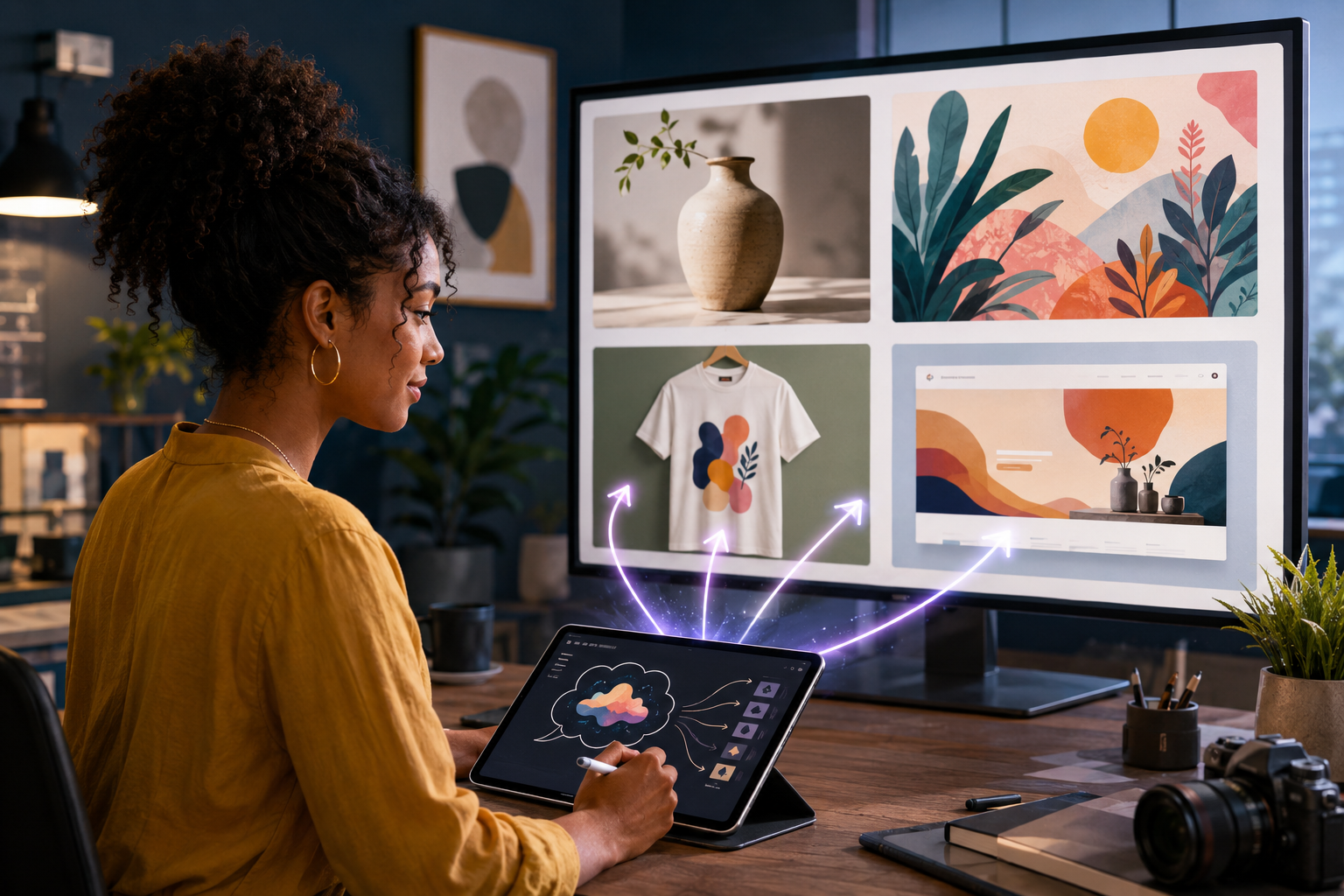
A visual idea can begin with something as simple as a sentence: a playful cat wearing headphones, a polished product scene, a dramatic fantasy portrait, or an illustration for a seasonal promotion. In the past, developing that idea might have required searching through stock libraries, hiring a designer, arranging a photo shoot, or learning complicated editing software. AI image generation introduces another option: describing the desired image in ordinary language and using an artificial-intelligence model to create a new visual from those instructions.
The technology can be remarkably useful, but it is not a magic button that automatically understands every creative intention. The words used to direct it—the prompt—play a major role in the result. Understanding the relationship between image generation and prompting helps creators, entrepreneurs, and small businesses use these tools with clearer expectations and better outcomes.
What is AI image generation?
AI image generation is a process in which a trained model creates an image based on written instructions and, in some cases, reference images. A user describes a subject, composition, environment, color palette, lighting, style, and other desired details. The system interprets those directions and produces an image that attempts to match them.
This can support many practical projects, including:
-
Website banners and blog illustrations
-
Social-media graphics and advertising concepts
-
Product mockups and packaging ideas
-
Print-on-demand artwork
-
Storyboards and character concepts
-
Educational graphics and presentation visuals
-
Personalized gifts and decorative art
AI-generated visuals can be used as finished creative assets when appropriate, but they can also serve as drafts. A business may generate several directions, choose the strongest one, and then refine it before publication or production.
Why the prompt matters
A prompt is more than a request for an object. Compare “create a picture of a coffee shop” with a description of a welcoming neighborhood café at sunrise, photographed from street level, with warm window light, outdoor tables, subtle autumn colors, and space for a headline. The second prompt gives the system information about atmosphere, perspective, lighting, season, purpose, and layout.
A useful prompt commonly defines:
-
The main subject: What must appear in the image?
-
The action or pose: What is the subject doing?
-
The setting: Where does the scene take place?
-
The composition: Is it a close-up, wide view, square layout, or vertical poster?
-
The visual treatment: Should it feel photographic, illustrated, cinematic, minimal, playful, or vintage?
-
Color and lighting: Which colors, contrasts, or time of day support the message?
-
The intended use: Is the result for a website banner, garment, advertisement, or article?
-
Important exclusions: What should the image avoid?
Specificity helps, but an extremely long list of conflicting instructions can make a prompt less effective. The goal is not to use the most words; it is to communicate the most important creative decisions clearly.
Free and paid prompts
Not everyone wants to build every prompt from the beginning. A prompt marketplace can help users discover tested starting points for particular goals. Free prompts can introduce a technique, demonstrate a visual direction, or help a beginner understand the basic structure. Paid prompts may provide more developed instructions, reusable variables, composition guidance, negative constraints, example applications, or a repeatable workflow.
A valuable prompt should do more than produce one attractive sample. It should explain what can be customized and help the buyer adapt the concept without destroying its essential structure. Because different AI systems may interpret the same words differently, prompt descriptions should also identify the platform or model for which they were prepared whenever possible.
How businesses can use these tools responsibly
Speed does not eliminate the need for judgment. Before using an AI-generated image commercially, review it carefully. Check hands, lettering, logos, product details, physical proportions, backgrounds, and small objects. Confirm that the image does not misleadingly represent a product or service. Avoid requesting unauthorized copies of protected characters, recognizable brands, or another artist’s distinctive work.
Businesses should also keep records of the prompts, reference materials, edits, and tools used for important commercial assets. Usage rights and platform terms can change, so creators should review the rules that apply to the particular service and intended use.
A practical creative workflow
A reliable workflow separates concept development from final approval:
-
Define the business objective and audience.
-
Select or write a prompt that supports that objective.
-
Generate several controlled variations.
-
Review the composition and technical details.
-
Refine the prompt rather than changing everything at once.
-
Choose the strongest result and make any necessary edits.
-
Confirm dimensions, file format, resolution, and usage requirements.
AI image generation works best as a collaboration between human direction and machine production. The tool supplies speed and variation; the user supplies purpose, taste, accuracy, and final responsibility.
Turn your next idea into something visible
Whether you need a single visual, want to experiment with a new creative direction, or prefer to begin with a ready-made prompt, the marketplace can provide a practical starting point. Explore AI image-generation options, discover free and paid prompts, and refine your concept until it communicates exactly what you intended.