 English
 Español


How to Create a Consistent Visual Style Across an AI Image Series
How to Create a Consistent Visual Style Across an AI Image Series
AI Images
A single attractive AI image can be generated through experimentation. A recognizable series requires a system. When characters, proportions, colors, lighting, framing, and atmosphere change unpredictably, viewers may not perceive the images as part of the same brand or story. A visual specification helps preserve the important elements while still allowing creative variation.
Define what must remain consistent
Begin by separating fixed traits from flexible traits. Fixed elements may include a person's identity, facial features, body proportions, hair color, brand palette, illustration medium, camera treatment, or product design. Flexible elements may include outfit color, pose, activity, setting, weather, props, or time of day.
Write these groups explicitly. If everything is allowed to change, the series loses identity. If nothing changes, the images become repetitive. Consistency comes from controlling the right variables, not from duplicating the same composition.
Create a compact visual style guide
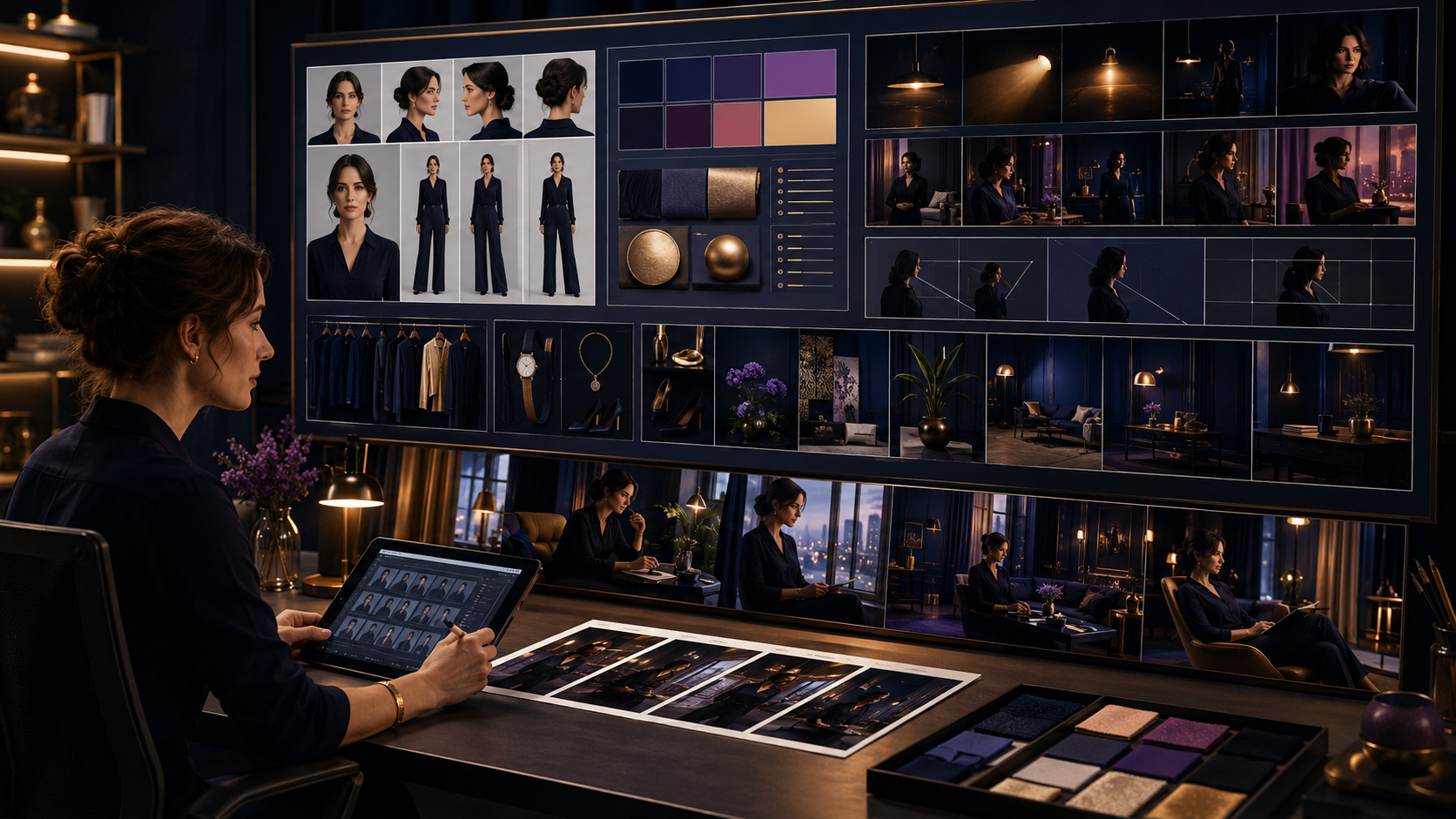
Collect a small set of approved reference images and describe what each one establishes. Add a palette, lighting examples, preferred aspect ratios, camera distance, depth of field, texture, contrast, and overall mood. For a recurring character, document face shape, eyes, complexion, characteristic marks, hairstyle, and body silhouette.
Use specific language. Instead of requesting a professional look, define a structured navy wardrobe, warm cinematic key light, clean editorial background, and eye-level three-quarter framing. Concrete visual decisions are easier to repeat.
Select references carefully
A reference should clearly show the trait it is meant to preserve. A close portrait may support facial identity but provide little information about body shape. A full-body reference may establish proportions but offer fewer facial details. When the workflow supports multiple references, assign each a clear role.
Do not mix references that conflict unless the intended combination is explained. If one image defines the face and another defines the outfit, say so. Use only images you are authorized to use and protect private reference photos appropriately.
Build a reusable prompt template
Organize the prompt into stable sections: identity or subject, visual medium, proportions, camera and composition, lighting, palette, environment, action, and exclusions. Keep the stable wording consistent across the series and replace only the intended variables.
Repeat critical invariants in every generation. Do not rely on the system remembering a decision from an earlier image. If a character must retain cheek dimples, a specific hairstyle, fuller lower-body proportions, or no finger rings, include those requirements whenever they matter.
Change one group of variables at a time
When testing a new series, first establish identity and style in a simple scene. Next vary the pose while keeping the outfit and environment stable. Then test new clothing or locations. Smaller controlled changes make it easier to identify which instruction caused drift.
Requesting a new pose, outfit, hairstyle, location, lighting, action, camera angle, and atmosphere simultaneously creates many opportunities for inconsistency. Large variations are possible, but they work better after the visual baseline is dependable.
Review more than the face
Identity consistency includes body shape, posture, height impression, hands, characteristic accessories, and styling—not only facial similarity. Compare the new image with approved references at similar scales. Look for changes in age, proportions, skin tone, eye color, hair, and distinctive features.
Also inspect recurring objects and brand elements. A product, uniform, logo placement, or signature prop that changes in every image can break continuity even when the person remains recognizable.
Use a structured approval process
Mark each result as approved, needs a targeted correction, or rejected. Record the prompt, references, and successful settings with the file. When a result establishes the desired identity or body shape, preserve it as a new approved reference instead of repeatedly rebuilding the instruction from memory.
Make corrections narrowly. If the body proportions are wrong but the face, clothing, and scene are correct, request that specific change and state that all other elements should remain unchanged.
Consistency checklist
- Identify fixed traits and allowed variations.
- Create approved identity, body, palette, lighting, and composition references.
- Use a reusable prompt with repeated invariants.
- Change a limited set of variables during early testing.
- Compare face, body, styling, props, and environment.
- Archive approved outputs and their prompt information.
- Make targeted revisions instead of rebuilding everything.
Turn successful images into a visual system
A consistent AI image series is created through selection and documentation as much as generation. Once the fixed visual language is defined, the series can travel through different locations, actions, seasons, and stories while remaining recognizable. That continuity strengthens characters, campaigns, product collections, and the marketplace brand itself.